Train in sim.Deploy to the real world.

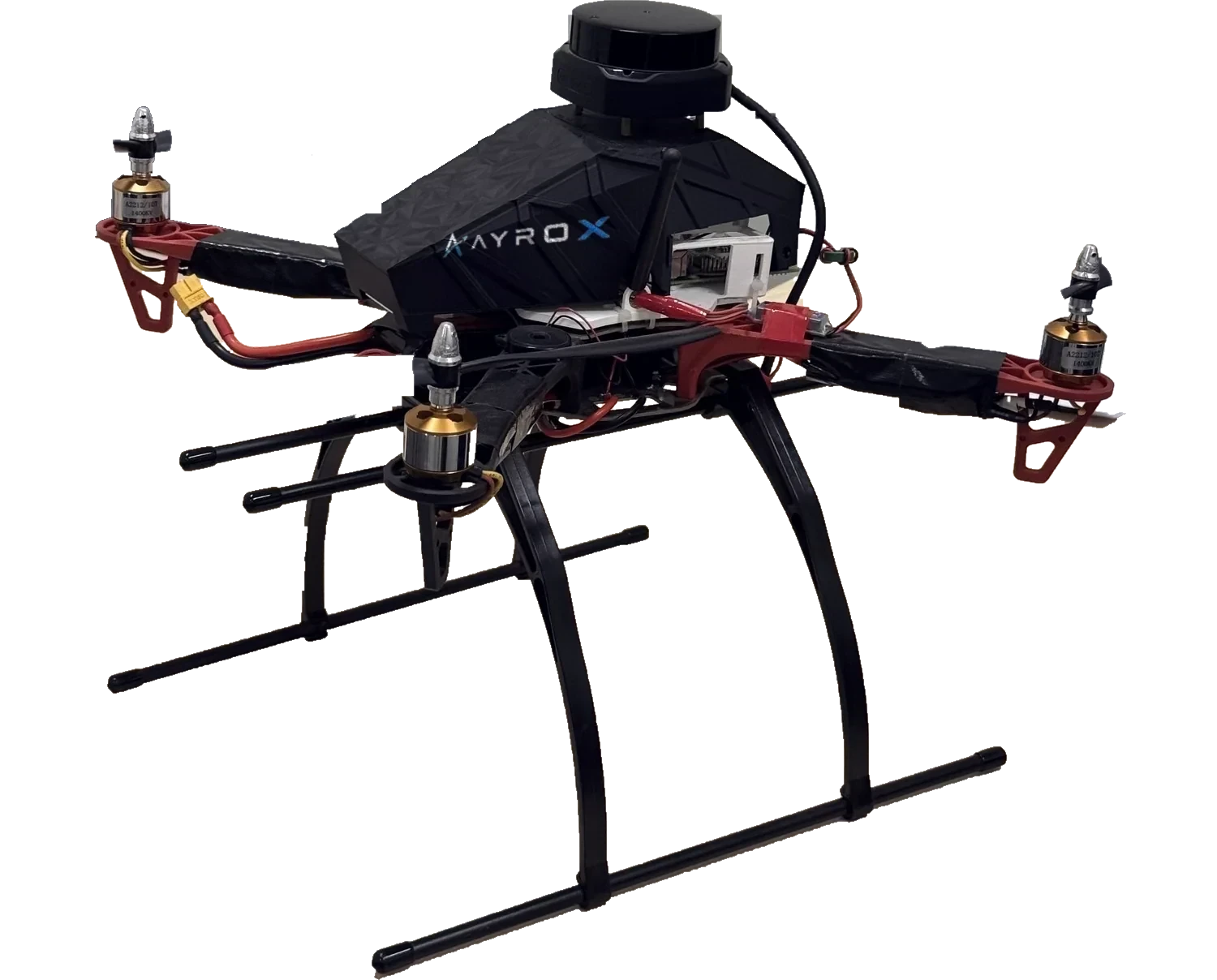
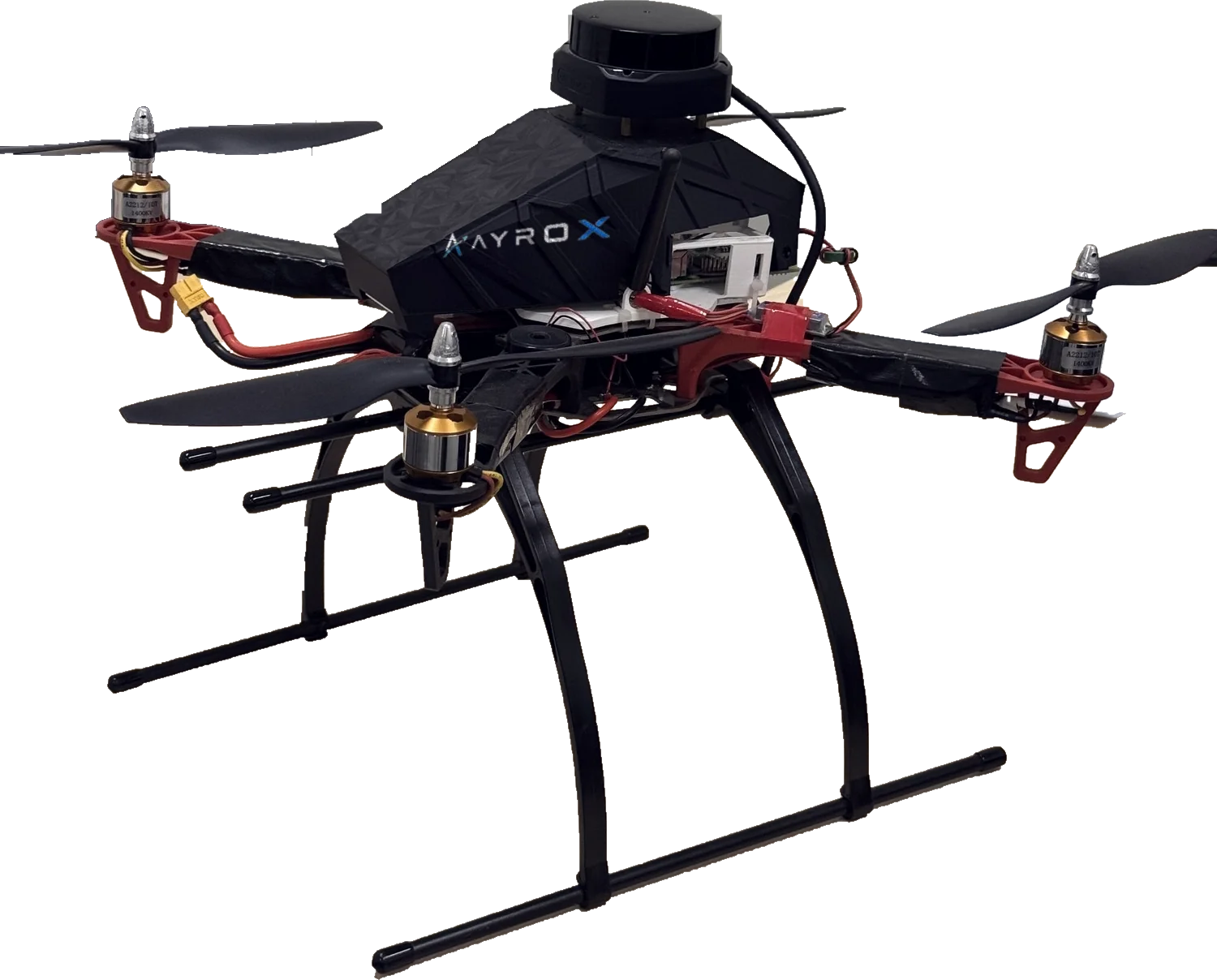
Quadrotor drone carrying a lidar sensor, with the AyroX logo on its shell, in flight
Real hardware, not a render

One lab. Platforms with their own names.

AyroX Labs builds the robots. The software ships as separate platforms, each named for what it does — and each new one will be too.

How It Works

From first training run to production robot

01

Simulate

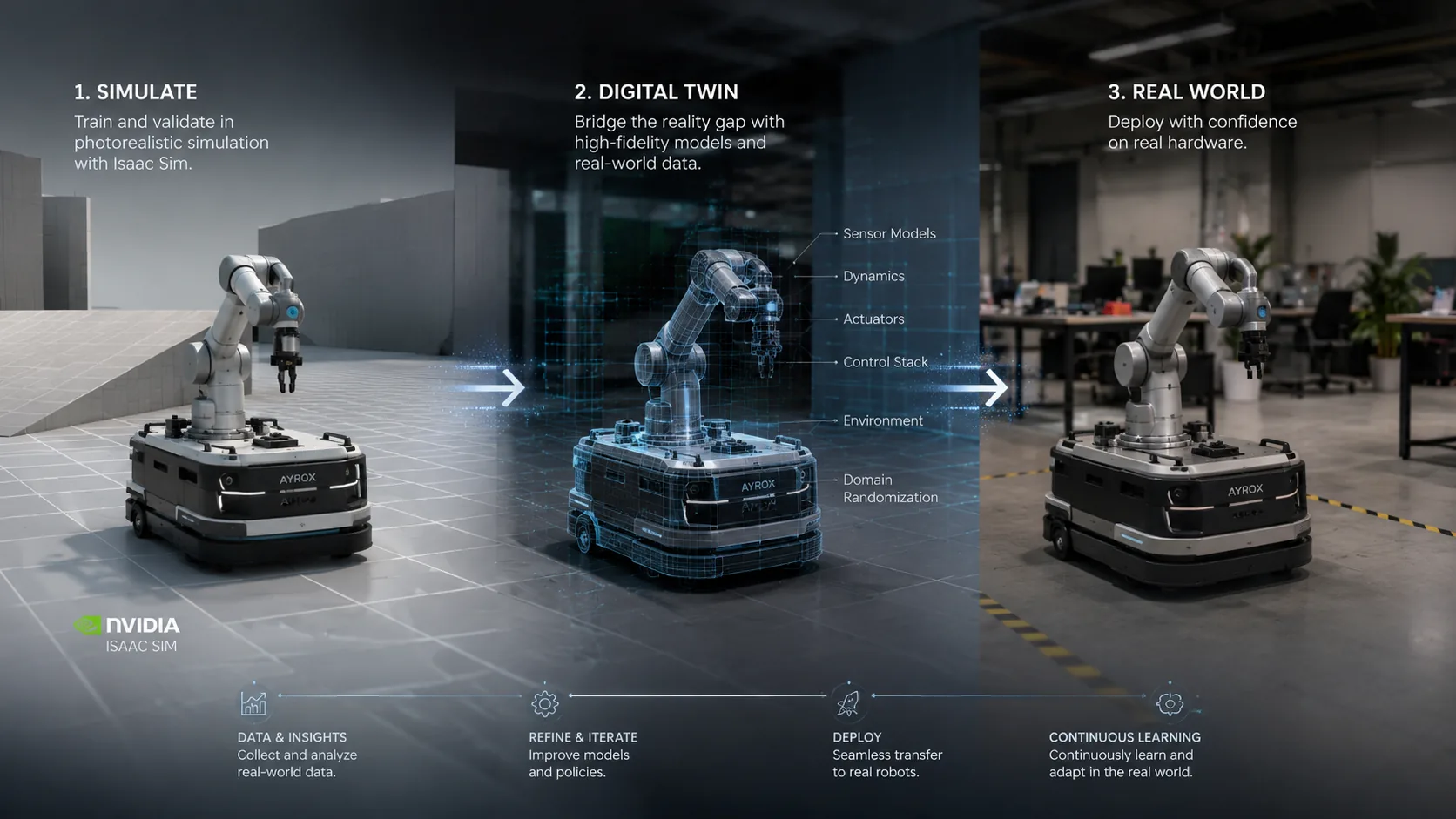
Build your environment, define your task, and train your policy entirely in simulation. No hardware required to get started.

02

Evaluate

Run your trained policy against structured benchmarks in our cloud-hosted robot fleet. Real hardware, real physics — no lab needed.

03

Validate

Catch the sim-to-real gap before it costs you. AyroX surfaces the delta between simulated and physical behavior, so you know exactly what to fix.

04

Deploy

Push the same policy directly to physical hardware. One codebase, one pipeline, from first training run to production robot.

01 Simulate 04 Deploy

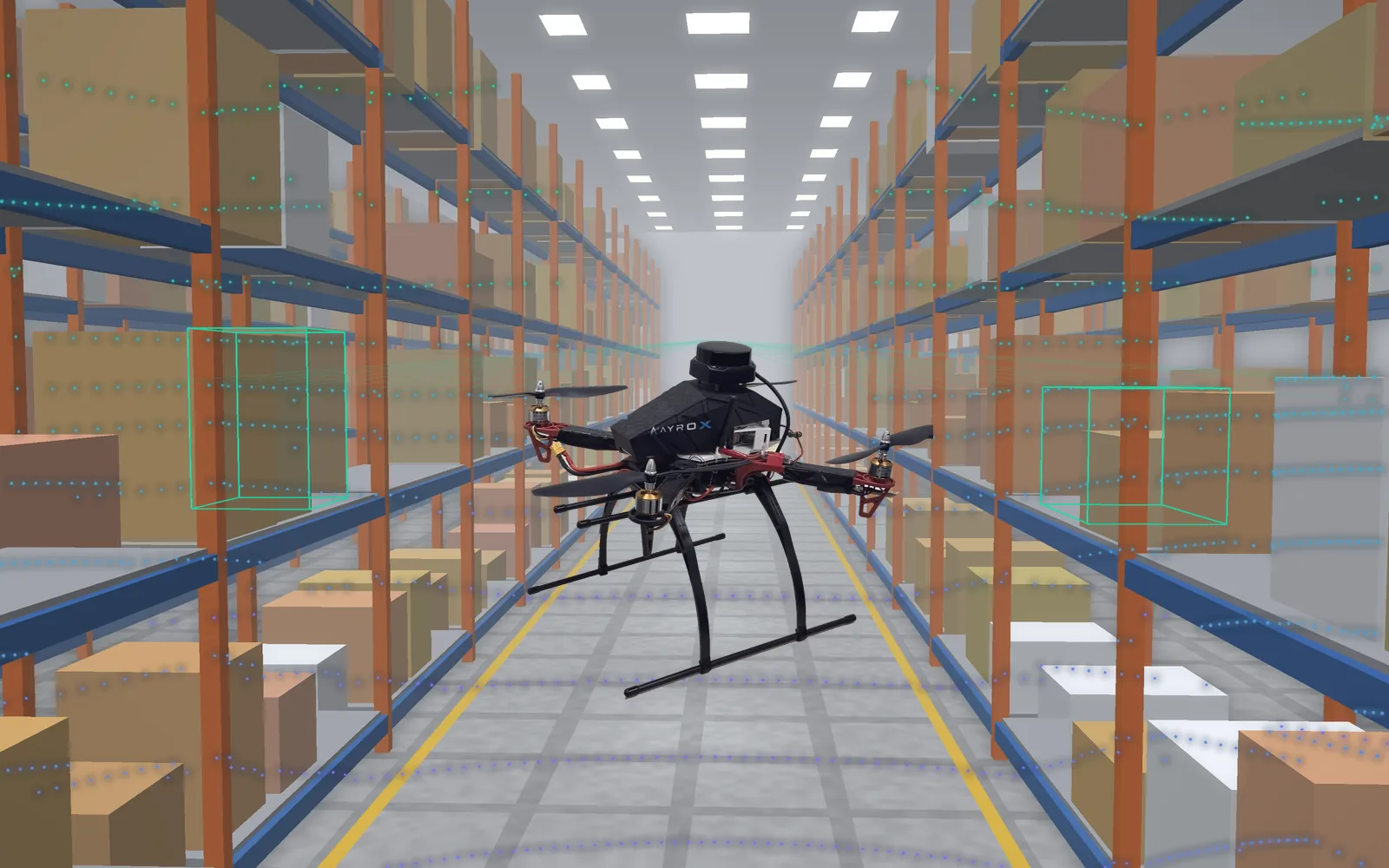
Fly the inventory run in sim first

Our quadrotor flies a warehouse aisle with no GPS. Its lidar maps the racks and flags each box it has scanned. Once the run holds up in simulation, the same policy flies the same airframe for real.

sim · warehouse_inspection.usdsimulating
Simulated warehouse aisle: the AyroX drone flies an inspection pass while its lidar maps the racks and flags scanned stock
task
cycle count
gnss
denied
/scan
3,647 pts
/odom
alt 2.60 m
The Cloud Fleet

Real hardware, no lab required

Your policy runs against physical robots you never have to buy, maintain, or stand next to. Queue an evaluation on a platform, then read the sim-to-real delta against the same benchmark you ran in Gazebo.

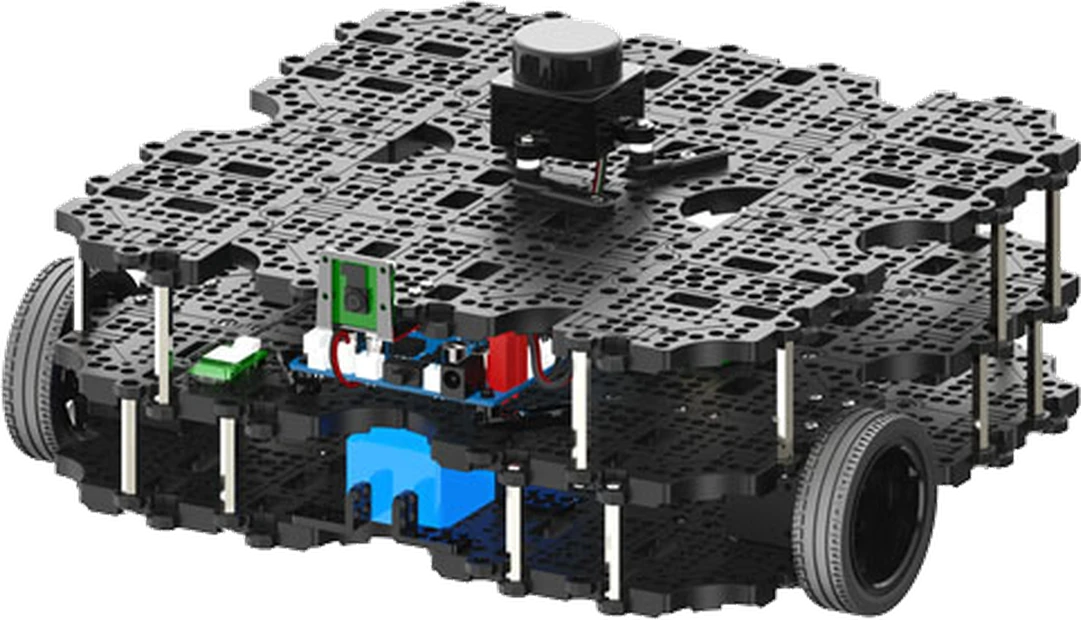
TurtleBot 3

TurtleBot 3

Waffle Pi

The reference ROS 2 learning platform. Small, predictable, and well documented — the fastest way to get a navigation or SLAM stack running against real wheels.

Drive
Differential
Top speed
0.26 m/s
Rotation
1.82 rad/s
Payload
30 kg
Footprint
281 × 306 mm
Mass
1.8 kg
Runtime
~2 hrs
Lidar
LDS-02
Compute
Raspberry Pi 4
Actuators
XM430-W210

// SLAM, navigation tuning, multi-robot formation
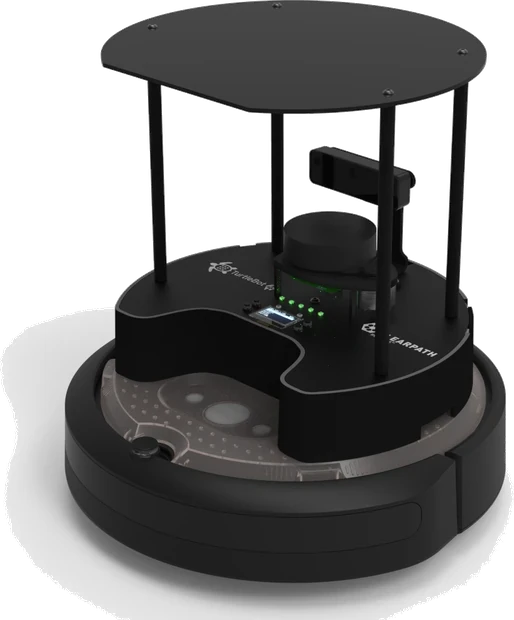
TurtleBot 4

TurtleBot 4

Standard

Built on the iRobot Create 3 base with a depth camera and onboard docking. Handles longer autonomy runs and perception work that the TurtleBot 3 cannot carry.

Base
iRobot Create 3
Top speed
0.31 m/s safe
Unrestricted
0.46 m/s
Payload
9 kg
Footprint
342 × 339 mm
Mass
3.95 kg
Runtime
2.5–4 hrs
Lidar
RPLIDAR A1M8
Camera
OAK-D-Pro
Compute
Raspberry Pi 4B

// Depth perception, autonomous docking, long-horizon runs

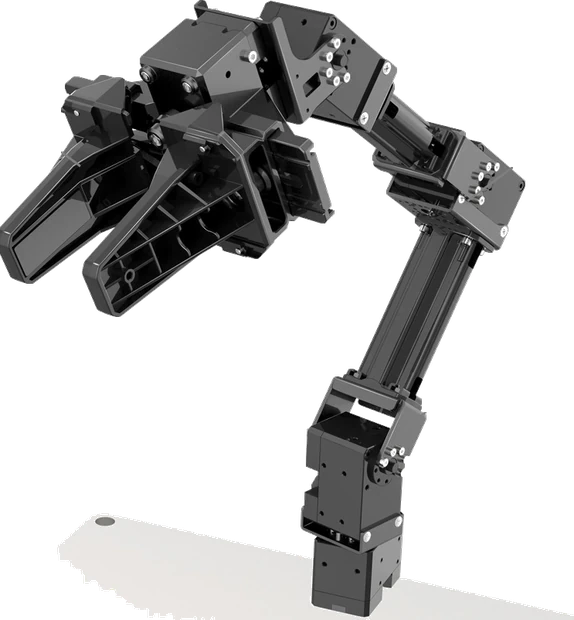
OpenMANIPULATOR-X

OpenMANIPULATOR-X

RM-X52-TNM

A 4-DOF arm with a parallel gripper, driven by the same DYNAMIXEL bus as the bases. Pairs with a TurtleBot for mobile manipulation, or runs bench-mounted for pick-and-place.

Freedom
4 DOF + gripper
Reach
380 mm
Payload
500 g
Repeatability
< 0.2 mm
Gripper stroke
20–75 mm
Joint speed
46 rpm
Mass
0.70 kg
Actuators
XM430-W350
Bus
TTL multidrop
Supply
12 V

// Grasping, pick-and-place, mobile manipulation

Built by AyroXWaypoint, AyroX's quadrotor carrying a 360° lidar

Waypoint

AX-WP450L

Our own quadrotor, built around a 360° lidar for indoor mapping. It is where a SLAM and navigation stack written in simulation meets real flight.

Airframe
Quadrotor, X
Frame class
~450 mm
Motors
A2212/10T 1400KV
Mapping
360° lidar
Shell
3D-printed
Power
XT60 pack

// Indoor mapping, SLAM, waypoint navigation

The Platform

One infrastructure layer. The entire embodied AI lifecycle.

AyroX connects simulation, cloud evaluation, and hardware deployment into a single, hardware-agnostic platform — so your team ships faster without rebuilding the pipeline for every new robot.

train.py
1
2
3

Simulation-First Training

Write once, train anywhere. AyroX's simulation environment is physics-accurate and hardware-agnostic — your policy doesn't know or care which physical robot it will eventually run on.

Cloud Fleet

4

Available

1

Running

0

Offline

arm-01ready
mobile-02ready
humanoid-03eval

Cloud Robot Validation

Access a managed fleet of physical robots in the cloud. Run your policy on real hardware without owning, maintaining, or physically accessing a single robot.

Deploy
policy_v4.onnx
Sim benchmark
Cloud eval
Sim-to-real delta
Physical robot

Policy-to-Hardware Deployment

The same policy you trained and validated deploys directly to your physical hardware — no re-implementation, no porting, no surprise behavior changes at the last step.

Why AyroX

Built for the gap between research and production.

Most robotics infrastructure is optimized for either academic research or scaled production — not the critical middle ground where policies actually get validated and shipped. AyroX is built specifically for that gap: rigorous enough for real-world deployment, accessible enough for a two-person team.

Rigorous enough to ship

Validated on real hardware, not just a simulator score.

Small-team accessible

No lab, no fleet to own, no infrastructure team to hire.

Hardware-agnostic

One policy, many robots. The pipeline does not change.

One pipeline, end to end

Sim, cloud eval, and deployment - never rebuilt per robot.

Sim → Cloud → Real. One policy. One pipeline. No re-implementation.
The Case

Ship policies, not prototypes

0

Robots to own

Validate on real hardware you never buy or maintain

1

Policy, sim to real

One codebase from first training run to production

100%

Hardware-agnostic

Your policy does not care which robot it lands on

Research

Measuring the sim-to-real gap

Research

Sim-to-real benchmarks

Structured tasks run in both simulation and on physical robots, so the delta is measured, not guessed.

Research

Policy evaluation

Reproducible evaluation runs on real hardware, with the same protocol every time you change a policy.

Research

Closing the gap

Where simulated behavior diverges from physical behavior, and what actually makes a policy transfer.

Start with RoboLab.

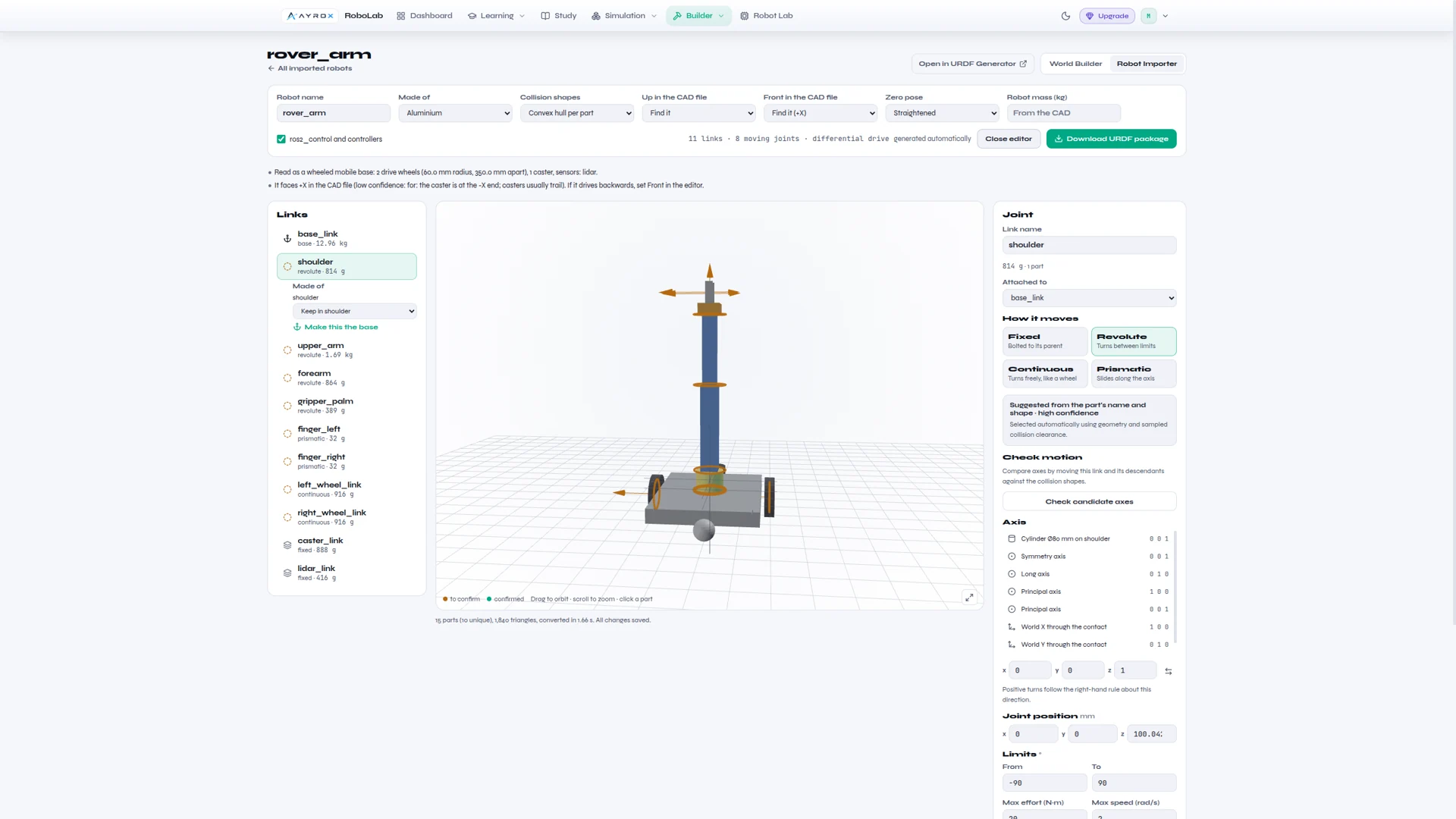
RoboLab is AyroX's developer environment — a browser-based platform where developers learn to write real ROS2 code, run it against a live Gazebo simulation, and see results in RViz2, all in a single tab. No local setup. No Docker installs. No dependency management. Just open a browser and start building.

Try RoboLab
FAQ

Common questions

What exactly is AyroX?+
AyroX is an infrastructure layer for embodied AI. You train a policy in simulation, evaluate it on a managed fleet of real robots in the cloud, see the sim-to-real delta, and deploy the same policy to physical hardware — one pipeline, end to end.
Do I need my own robots to use it?+
No. That is the point of the cloud fleet. You run your policy on real hardware without owning, maintaining, or physically accessing a single robot. You only need your own hardware at the final deployment step, if and when you want it.
What is the sim-to-real gap, and how does AyroX help?+
It is the difference between how a policy behaves in simulation and how it behaves on a physical robot. AyroX runs the same structured benchmark in both places and surfaces the delta, so you find out what breaks before it costs you.
Is the platform tied to a specific robot?+
No. The simulation environment is hardware-agnostic — your policy does not know or care which physical robot it will eventually run on. You do not rebuild the pipeline for every new platform.
Do I have to re-implement my policy to deploy it?+
No. The same policy you trained and validated deploys directly to your physical hardware. No porting, no re-implementation, no surprise behavior changes at the last step.
How is this different from a simulator or a research framework?+
Most tooling is optimized for either academic research or scaled production. AyroX is built for the middle ground where policies actually get validated and shipped: rigorous enough for real deployment, accessible enough for a two-person team.
Where does RoboLab fit in?+
RoboLab is AyroX's developer environment — a browser-based platform for writing real ROS2 code against a live Gazebo simulation, with results in RViz2. It is the fastest way to start building with no local setup at all.
How do I get access?+
Request access from the top of this page. You can start building in RoboLab today while cloud fleet evaluation is rolled out to new teams.
Contact

Tell us what you're building.

Whether you want RoboLab access, a cloud fleet evaluation, or a conversation about deploying to your own hardware — send the details and we will route it to the engineer who owns that area.

Send a message

We reply within two business days. No newsletter, no sales sequence.